Professional 3D Inspection Made Accessible
Geomagic Control X Essentials delivers the core power of the industry’s leading inspection software
at an affordable price. It provides the essential tools needed to compare 3D scan data with CAD
models, visualize deviations, and generate reports.
Ideal for users who need reliable, accurate inspection results without the complexity of advanced
automation or batch processing.
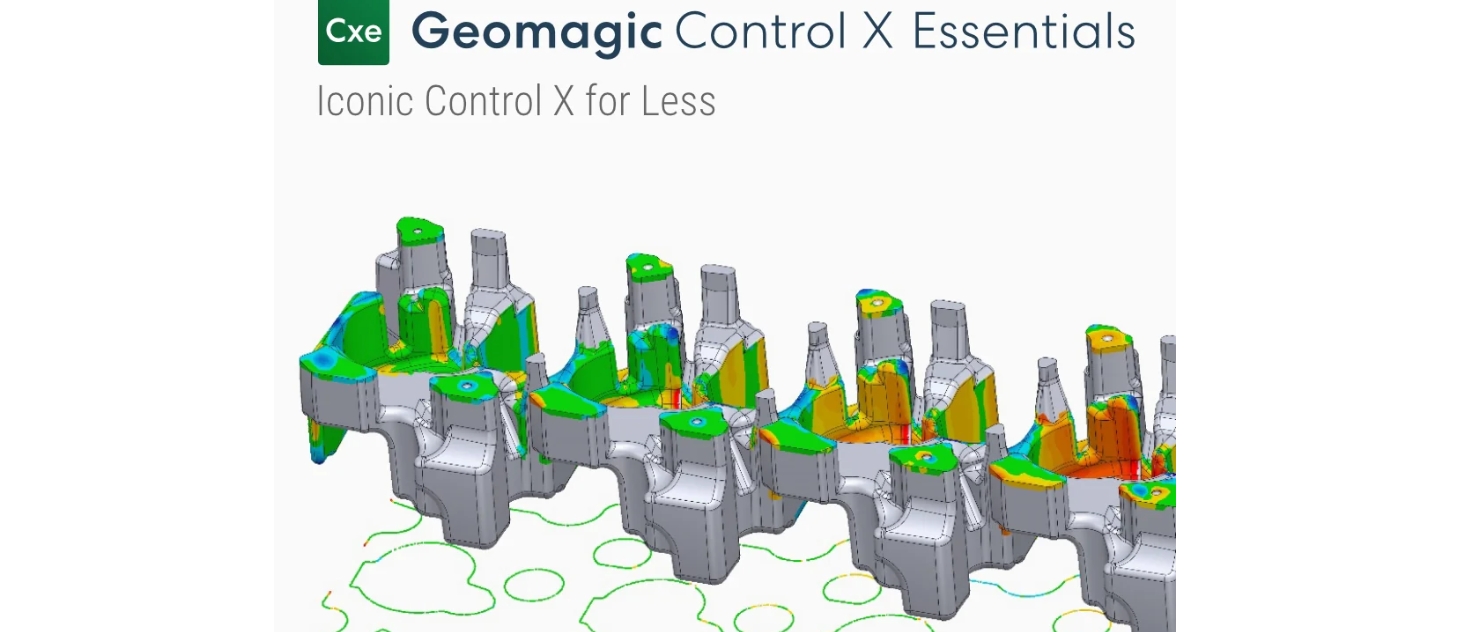
Control X Essentials bridges the gap between basic scan viewing and high-end metrology. It offers the industry-standard accuracy and alignment algorithms of the full Control X version, ensuring your inspection results are trustworthy. It is the perfect starting point for companies integrating 3D inspection into their quality control workflow.
Import your CAD model and 3D scan data to instantly visualize deviations with intuitive 3D color maps.
Utilize powerful alignment tools including Best Fit, 3-2-1, and Datum alignment to accurately match scan data to CAD.
Perform essential 2D and 3D measurements and basic Geometric Dimensioning and Tolerancing checks.
Generate comprehensive PDF reports to document and share your inspection findings with colleagues and clients.
Simple steps to quality assurance.
Load your reference CAD model and the 3D scan data from your scanner.
Use the alignment wizard to perfectly register the scan data to the CAD model.
Run 3D deviation analysis and create 2D cross-sections to identify errors.
Add specific dimensions and tolerances to verify critical features.
Export a detailed report highlighting pass/fail status and deviation maps.
Contact our experts to see if Geomagic Control X Essentials is the right fit for your quality control process.
Get a Quote